
Why Use a CSS Animation Library?
Animation is one of the most powerful tools in a frontend developer’s kit. When done well, it communicates state changes, guides user attention, provides feedback, and makes an interface feel alive and responsive. When done poorly, it annoys users, degrades performance, and clutters the codebase. The difference between good and bad animation is rarely about creativity — it is almost always about using the right tool for the right job.
CSS animation libraries solve a specific, real problem: writing @keyframes animations from scratch is time-consuming, and subtle details — correct easing curves, appropriate durations, smooth enter and exit behaviour — require significant iteration to get right. A well-designed animation library distils the collective knowledge of experienced motion designers into ready-to-use components that you can apply in seconds.
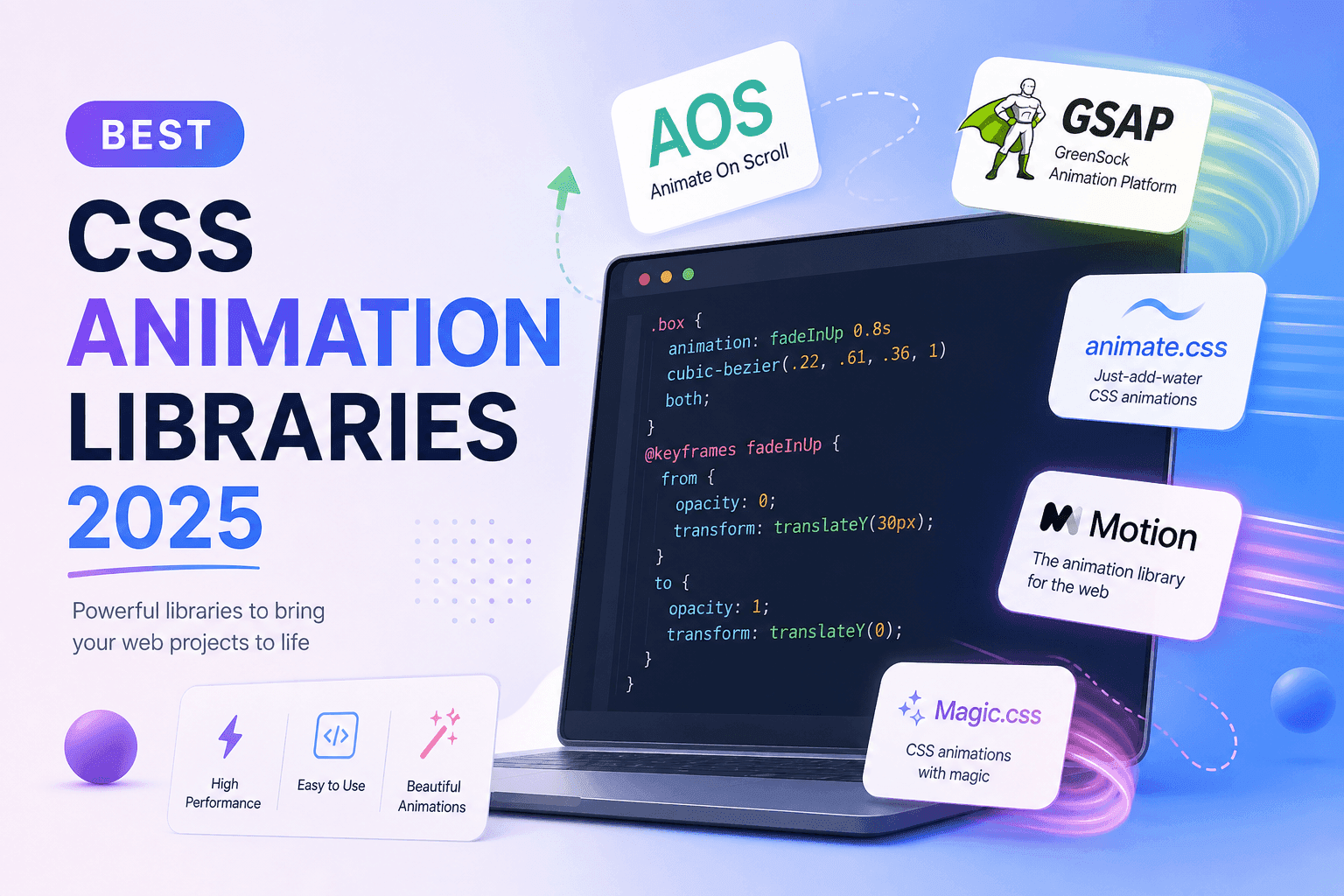
In 2025, the animation library landscape has matured considerably. The options range from ultra-lightweight pure-CSS packages that you apply with a single class name, to sophisticated JavaScript animation engines with timeline control, scroll-linked animations, and physics simulations. This guide covers the 10 most useful options across the full spectrum, with honest guidance on when each one is the right choice — and when you should skip the library and write CSS directly.
Performance note: CSS animations using transform and opacity run on the compositor thread and do not trigger layout or paint — meaning they are essentially free in terms of CPU cost. Avoid animating width, height, margin, top, or left — these trigger layout recalculation and can cause jank, especially on lower-powered devices.
How We Evaluated Each Library
Every library in this guide was evaluated against the same five criteria. These are the factors that determine whether a library actually earns a place in a production codebase — not just in a demo project.
Bundle size and performance impact. Every kilobyte of JavaScript or CSS you ship has a cost. Libraries are compared on their gzipped size and evaluated on whether that cost is justified by the value they provide. A 70 KB animation engine is fine if you are building a complex animation-heavy application; it is overkill for adding a simple entrance effect to a landing page.
Ease of use. How quickly can you go from installing the library to having a working animation? Libraries with confusing APIs, poor documentation, or complex setup requirements lose points here, regardless of how powerful they are. A great animation library should make the simple case trivially simple.
Animation quality. The animations should look good by default — with appropriate easing curves, natural timing, and smooth rendering. Libraries that produce jerky, linear, or visually generic animations are not worth including.
Framework compatibility. Libraries that work with plain HTML but also integrate cleanly with React, Vue, and other modern frameworks score higher than those with a narrow compatibility window.
Maintenance and community. A library with no recent commits and declining community engagement is a liability. All libraries in this guide are actively maintained as of 2025.
Pure-CSS Animation Libraries
Pure-CSS animation libraries define @keyframes animations in a stylesheet and expose them via CSS class names. They require zero JavaScript to operate — you add a class to an element and the animation plays. This makes them the simplest possible integration and the best choice for server-rendered pages, static sites, and any project where you want to minimise JavaScript.
1. Animate.css — The Industry Standard
Animate.css is the most widely used CSS animation library in the world, with over 80,000 GitHub stars and more than a decade of active development. It provides 77 animations across seven categories: Attention Seekers (bounce, flash, pulse, shake), Bouncing Entrances and Exits, Fading Entrances and Exits, Flippers, Lightspeed, Rotating Entrances and Exits, Specials, and Zooming Entrances and Exits.
The API is the simplest possible: add animate__animated and the specific animation class (e.g. animate__fadeInUp) to any element. You can control duration, delay, and repeat count via CSS custom properties: --animate-duration, --animate-delay, and --animate-repeat. This means a single class change can trigger a polished animation without any JavaScript.
The animations respect the prefers-reduced-motion media query out of the box — a critical accessibility consideration. When a user has enabled reduced motion in their operating system, Animate.css automatically disables all its animations, making it a responsible choice for accessibility-conscious projects.
When to use it: Landing page entrance effects, notification toasts, modal animations, attention-seeking UI elements, and any case where you want beautiful, well-crafted animations with zero JavaScript overhead. Animate.css is the first library you should reach for.
When to skip it: When you need scroll-triggered animations (it has no built-in scroll integration), timeline-controlled sequences, or physics-based motion. For those use cases, look further down this list.
2. Hover.css — Hover Interactions Done Right
Hover.css focuses exclusively on hover effects — the microinteractions that make buttons, cards, images, and links feel responsive and polished. It provides over 100 effects across categories including 2D transitions, background transitions, border transitions, shadow and glow transitions, speech bubble effects, and curls. Unlike Animate.css, every effect is designed to trigger on :hover, making it the perfect complement for interactive elements.
The recommended approach in production is to use Hover.css’s Sass source files and import only the specific effect categories you need. This keeps your bundle to a fraction of the full library size. Apply an effect by adding the hvr- prefixed class: hvr-grow scales an element up on hover, hvr-sweep-to-right slides a background colour in, hvr-bob creates a gentle floating animation.
When to use it: Navigation menus, call-to-action buttons, portfolio image grids, card-based layouts. Hover.css is particularly effective in marketing sites and portfolio projects where interactive polish is a priority.
3. Magic CSS — Bold, Dramatic Effects
Magic CSS provides a collection of more dramatic, visually striking animations than Animate.css — effects like magic (a spinning explosion entrance), twisterInDown, foolishIn, swap, and vanishIn. These are not subtle effects; they are designed to create moments of delight at specific high-value interactions. Apply them the same way as Animate.css: add magictime and the specific animation class name.
When to use it: Error states, success confirmations, modal entrances, loading screens, and any UI moment where a dramatic visual flourish is appropriate and expected. Magic CSS is not for body text or routine navigation — it is for moments that should feel special.
4. CSShake — Focused, Purposeful Shake Effects
CSShake does exactly one thing: shake. But it does it with impressive precision — 15 different shake variants ranging from a gentle shake-little to an aggressive shake-crazy, with horizontal-only, vertical-only, diagonal, and rotational variants. At approximately 3 KB gzipped, it is the lightest library in this list by a significant margin.
The use case for shake animations is specific but extremely common: form validation errors. When a user submits a form with missing or incorrect fields, a shake animation on the invalid field is one of the most universally understood UI signals. It communicates the problem without requiring any text, which makes it especially valuable for language-agnostic or icon-only UIs.
Apply effects via class: csshake-default, csshake-slow, csshake-little, csshake-hard, csshake-horizontal, etc. Add the class with JavaScript when the error condition is triggered, remove it after the animation completes.
JavaScript-Powered Animation Libraries
When you need animation sequences, timeline control, physics-based motion, SVG animation, or deep integration with application state, pure-CSS libraries reach their limits. JavaScript animation engines give you programmatic control over every aspect of motion — at the cost of a larger bundle and a steeper learning curve.
5. GSAP (GreenSock Animation Platform) — The Professional Standard
GSAP is the animation library that professional frontend developers and creative agencies reach for when quality and control matter most. It has been the industry standard for complex web animation for over fifteen years, and in 2025 it remains the most capable, reliable, and performant JavaScript animation engine available.
The core GSAP library provides gsap.to(), gsap.from(), gsap.fromTo(), and the Timeline API for sequencing. You can animate virtually any numeric CSS property, SVG attribute, or JavaScript object — not just the standard transform and opacity properties that CSS animations handle well. GSAP’s easing library includes over 40 easing functions including elastic, bounce, rough, and stepped easings that CSS cubic-bezier() cannot replicate.
The plugin ecosystem is where GSAP truly separates itself: ScrollTrigger for scroll-linked animation, SplitText for per-character text animation, MorphSVG for smooth SVG path morphing, DrawSVG for animated stroke effects, and more. Most of these plugins require a Club GreenSock membership for commercial use, but the core library is free.
When to use it: Award-winning marketing sites, complex interactive experiences, animated data visualisations, SVG animation, per-character text animations, and any project where animation is a primary feature rather than a utility.
6. Framer Motion — The React Developer’s Choice
Framer Motion (now rebranded as Motion for React) is the definitive animation library for React applications. Its API is deeply idiomatic React: you replace standard HTML elements with motion.div, motion.span, etc., and define animations with initial, animate, and exit props. This makes animation a first-class concern in your component structure rather than an afterthought applied via class names or imperative JavaScript.
The feature set is comprehensive: layout animations (elements smoothly animate when their position or size changes due to other DOM changes), shared layout transitions (elements morphing between positions across different components), gesture-driven motion (drag, hover, and tap bindings), and the AnimatePresence component for animating elements as they are removed from the DOM — something CSS transitions cannot handle elegantly.
When to use it: React applications where you need page transitions, animated list add/remove operations, drag-and-drop interactions, or any animation tied to React component state. If you are building a React app, Framer Motion is almost certainly the right choice.
7. Motion One — Modern, Framework-Agnostic
Motion One is the framework-agnostic sibling of Framer Motion, built by the same author. It is built on the browser’s native Web Animations API (WAAPI), which means animations run at native performance with hardware acceleration. The API is clean and modern: animate(element, { opacity: 0, x: -20 }, { duration: 0.3 }). Motion One supports Vue, Svelte, and plain JavaScript without the React dependency that Framer Motion requires.
When to use it: Non-React projects that need programmatic animation control, Svelte or Vue applications, and projects where the GSAP file size is unjustified but you still need timeline and sequencing capabilities.
Scroll-Triggered Animation Libraries
Scroll-triggered animations — where elements animate into view as the user scrolls down the page — are one of the most common UI patterns in modern marketing and portfolio sites. They create a sense of progressive disclosure and make content feel more engaging and intentional.
8. AOS (Animate On Scroll) — The Simplest Scroll Library
AOS is the go-to library for scroll-triggered animations in simple to medium-complexity projects. The integration is two lines: include the CSS and JS, call AOS.init() in your JavaScript, and then add data-aos attributes to any elements you want to animate. The library uses IntersectionObserver to detect when elements enter the viewport and applies the appropriate animation class.
Available effects include fade, fade-up, fade-down, fade-left, fade-right, zoom-in, zoom-out, flip-left, flip-right, and more. You can control delay (data-aos-delay), duration (data-aos-duration), easing (data-aos-easing), and whether the animation plays once or every time the element enters the viewport (data-aos-once).
When to use it: Landing pages, portfolio sites, marketing pages, and any project where you want smooth scroll-triggered reveals without building a complex JavaScript solution. AOS is the library you finish integrating in ten minutes.
When to skip it:AOS is not suitable for scroll-linked animations (where elements move proportionally to scroll position) or complex sequenced scroll effects. For those use cases, GSAP’s ScrollTrigger is the correct choice.
9. Micron.js — Interaction-Driven Micro-Animations
Micron.js is a small library focused on micro-interactions — the tiny animations that provide feedback for user actions like clicks, hovers, and focus changes. Effects include jelly, bounce, tada, blink, flicker, shutter, fade, squeeze, swing, spedup, and more. Apply them via data-micron attributes.
At just 6 KB, Micron.js earns its place in a production bundle. It is particularly effective for interactive icons, social share buttons, feedback indicators, and any UI element where a subtle interaction response would improve the user experience without being distracting.
On-Demand Animation Generators
Not every project needs a full animation library. Sometimes you need one or two specific animations — a fade entrance for a hero section, a sliding notification, or a spinning loader. In those cases, generating the specific @keyframes CSS you need and dropping it into your stylesheet is far more efficient than shipping an entire library.
10. Animista — Copy Exactly the Animations You Need
Animista is not a library you install — it is an online tool where you browse, configure, and copy exactly the CSS animations you need. Select an animation category (scale, rotate, slide, flip, swing, wobble, vibrate, pulsate, ping-pong, text, and more), choose the direction or variant, adjust the timing and easing parameters, preview the result, and copy the complete @keyframes and animation CSS to your clipboard.
The resulting CSS has zero dependencies, zero JavaScript, and adds no weight to your bundle beyond the specific animation rules you copied. This makes Animista the right choice when you need high-quality, customised animations but cannot justify the bundle cost of a full library.
When to use it: Whenever you need between one and five specific animations and want production-ready CSS with no library dependency. Animista is also an excellent learning resource — reading the generated @keyframes rules teaches you how complex animations are constructed.
Comparison: All 10 Libraries at a Glance
The table below summarises the key characteristics of each library to help you make a quick decision. Note that “size” refers to the gzipped production bundle.
| Library | Type | Size (gz) | JS Required | Best Use |
|---|---|---|---|---|
| Animate.css | Pure CSS | ~8 KB | No | Entrance/exit effects |
| Hover.css | Pure CSS | ~10 KB* | No | Hover interactions |
| Magic CSS | Pure CSS | ~36 KB | No | Dramatic effects |
| CSShake | Pure CSS | ~3 KB | No | Shake / validation |
| GSAP | JavaScript | ~27 KB | Yes | Complex sequences |
| Framer Motion | JS (React) | ~47 KB | Yes | React apps |
| Motion One | JavaScript | ~18 KB | Yes | Vue/Svelte/Vanilla |
| AOS | CSS + JS | ~13 KB | Yes (minimal) | Scroll reveals |
| Micron.js | CSS + JS | ~6 KB | Yes (minimal) | Micro-interactions |
| Animista | CSS Generator | ~0 KB | No | 1–5 custom anims |
* Hover.css full library; import by category for smaller bundles.
How to Choose the Right Library
The right animation library for your project depends on three factors: the complexity of the animations you need, the framework you are using, and how much bundle weight you can afford. Here is a decision guide.
If you need entrance and exit effects on a non-React site: Start with Animate.css. It is the simplest, most battle-tested option and covers 90% of common use cases. If you also need hover effects, add Hover.css.
If you are building a React application: Use Framer Motion. Its API is the most idiomatic for React, it handles exit animations (which CSS cannot handle well), and it covers layout animations that would otherwise require significant custom JavaScript.
If you need scroll-triggered animations on a marketing or portfolio site: Use AOS. It is fast to set up, well-maintained, and covers every common scroll reveal pattern. If you later need scroll-linked animations (where motion is proportional to scroll position), migrate the complex cases to GSAP ScrollTrigger.
If you are building a complex, animation-heavy experience: Use GSAP. The bundle cost is justified by its power, reliability, and the quality of the resulting animations. For SVG animation in particular, GSAP has no serious competition.
If you need only 1–5 animations with zero overhead: Use Animista to generate the specific CSS you need and import nothing else. This is the most performance-efficient approach for projects where animation is decorative rather than central.
Accessibility reminder: Always test your animations with prefers-reduced-motion: reduce enabled. Users who have this preference set — including many people with vestibular disorders, epilepsy, or attention disorders — expect motion to be disabled or significantly reduced. Wrap all non-essential animation code in @media (prefers-reduced-motion: no-preference) or use the equivalent JavaScript check.
Building Animations Without a Library
Libraries are a means to an end, not a requirement. For simple, specific animations, writing CSS directly is often faster, lighter, and gives you more control than integrating a library. Here are the core CSS animation tools you should know before reaching for a library.
CSS transitions are the right tool for state-change animations — button hover states, accordion open/close, colour changes on focus, opacity on show/hide. Define the properties to animate with the transition property and CSS does the rest. Use the CSS Transition Generator to configure the easing curve visually.
CSS keyframe animations are for animations that play automatically or loop — loading spinners, attention-seeking pulses, animated backgrounds, and decorative effects that are not tied to user interaction. Define the animation steps in a @keyframes rule and apply with the animation shorthand.
The Web Animations API (WAAPI) is the native browser API for programmatic animation, and it is now well-supported across all modern browsers. It provides a JavaScript interface for animations that run on the compositor thread — the same performance characteristic as CSS animations, with the flexibility of JavaScript control. If you need programmatic animation but want to avoid a library dependency, WAAPI is worth learning.
For complex easing curves, use the Cubic Bezier Builder to build and preview custom cubic-bezier() timing functions before dropping them into your animation declarations.
Frequently Asked Questions
- What is the best CSS animation library for beginners?
- Animate.css is the best starting point for beginners. It requires zero JavaScript — you add a class name to any element and the animation plays. The syntax is immediately intuitive, the documentation is excellent, and its 77 animations cover every common use case. It works with plain HTML, React, Vue, or any other framework.
- What is the most lightweight CSS animation library?
- For pure CSS, CSShake at ~3 KB gzipped is the lightest. Micron.js (~6 KB) is the lightest option that also includes JavaScript for interaction binding. If bundle size is critical, Animista generates only the specific animations you need — making your effective bundle size a handful of lines of CSS.
- Can I use CSS animation libraries in React?
- Yes. Framer Motion is built specifically for React. Animate.css and Hover.css work in React by importing the CSS and applying class names. AOS requires initialization in a
useEffecthook. GSAP works via refs anduseEffect, or via its official React package. Motion One has React bindings for a declarative API. - Is GSAP free to use in commercial projects?
- GSAP’s core library is free for virtually all commercial use cases. However, premium plugins (ScrollTrigger Premium, MorphSVG, DrawSVG) require a Club GreenSock membership for commercial products. Read the GSAP license for your specific situation.
- When should I use an animation library versus writing CSS manually?
- Use a library for common, well-tested patterns: entrance effects, hover transitions, loading states, scroll-triggered reveals. Write CSS manually for unique effects, animations tied tightly to specific design intent, or when the library overhead is unjustified. Most production applications use a combination of both.
- What is the difference between CSS animations and CSS transitions?
- CSS transitions animate between two states in response to a triggering event (hover, focus, class change). They use the
transitionproperty. CSS animations use@keyframes, can loop, can have multiple steps, and play automatically or on trigger. Libraries like Animate.css use@keyframes; simple hover effects usetransition.
Conclusion
The 10 CSS animation libraries in this guide cover every use case from simple entrance effects to complex, timeline-driven interactive experiences. Choosing the right one is not about which is the “best” in absolute terms — it is about which is most appropriate for your project’s complexity, your team’s familiarity, and your performance budget.
For most projects, the answer is simple: start with Animate.css for entrance and exit effects, add AOS if you need scroll-triggered animations, and use Framer Motion if you are in React and need animation tied to state. Reach for GSAP only when the project genuinely justifies its capabilities.
Whatever library you choose, remember the two rules that separate good animation from bad: animate only transform and opacity for smooth performance, and always test with prefers-reduced-motion to respect users with motion sensitivity. The best animation is the one the user enjoys — not the one the developer is most proud of building.
For more CSS tools and resources, explore the Frontend Toolkit on CSSAwwwards — free, interactive CSS tools including a Transition Generator and Cubic Bezier Builder to help you craft precise animations without any library overhead.
Share this article