
Introduction
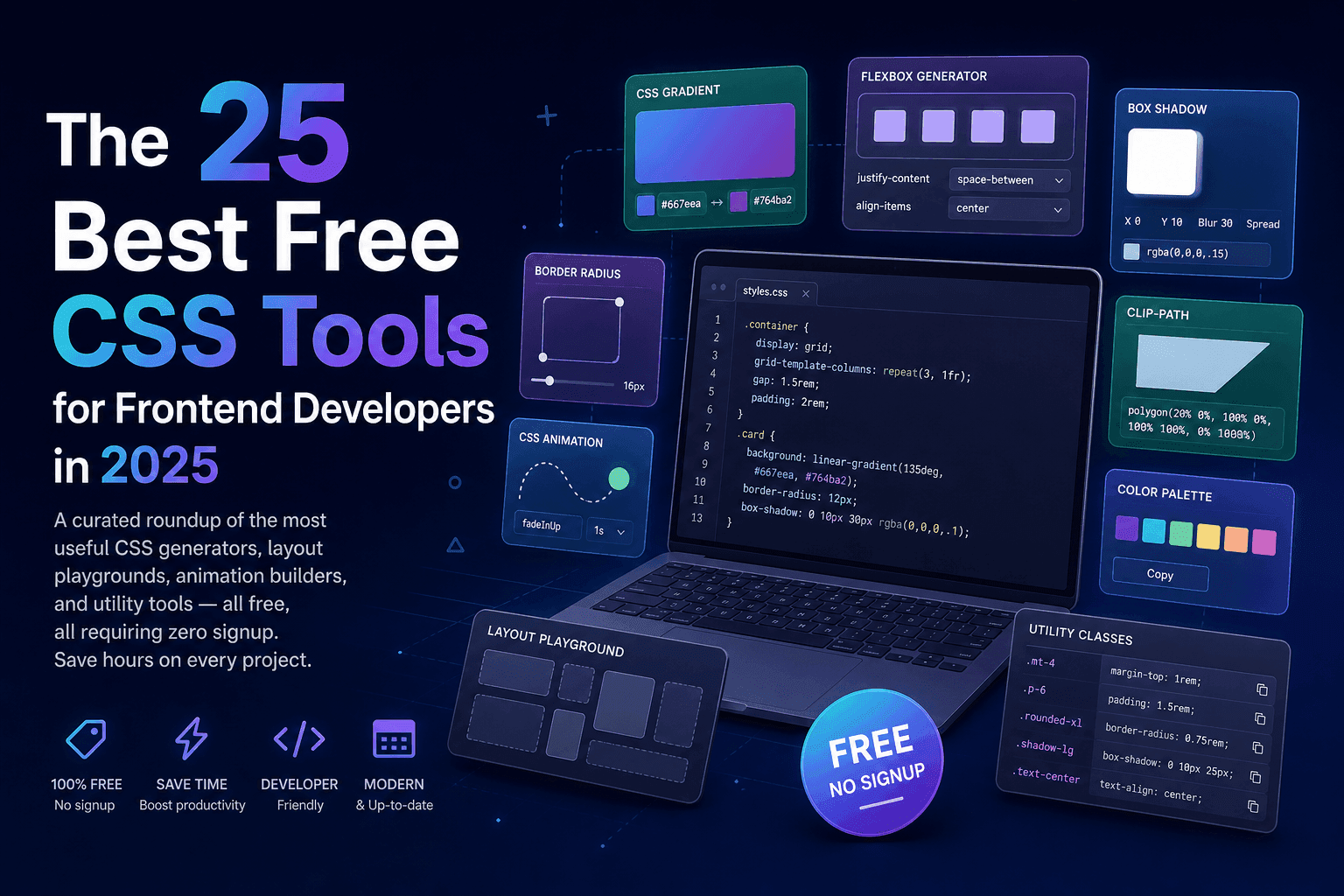
If you have been writing CSS professionally for any length of time, you know the pain: staring at the box-shadow property trying to remember which value controls spread versus blur, or spending twenty minutes iterating on a gradient that would have taken seconds in a visual tool. CSS is extraordinarily powerful, but its declarative syntax was designed for machines to parse efficiently — not necessarily for humans to author by hand. That is where CSS tools come in.
Over the past five years, the ecosystem of browser-based CSS tools has matured dramatically. What was once a handful of basic colour pickers and simple gradient generators has expanded into a rich library of visual playgrounds, precise calculators, and intelligent generators covering every corner of modern CSS. Today’s best tools understand grid, flexbox, custom properties, clamp(), logical properties, and advanced filter functions — and they output clean, production-ready code instantly.
This guide is for frontend developers at any level who want to work faster and more confidently with CSS. Whether you are a junior developer still building an intuition for layout behaviour, a mid-level engineer looking to streamline your workflow, or a senior who wants a reliable reference list to share with your team, the 25 tools in this roundup represent the best of what is available in 2025 — all completely free and requiring no account or login.
Every tool in this list has been selected because it saves real development time, outputs correct CSS, and genuinely helps you understand what you are producing. No bloatware, no paywalled essentials, no sign-up walls.
What Makes a Great CSS Tool?
Not all CSS tools are created equal. The internet is littered with generators that produce outdated syntax, require email sign-up to copy output, or simply break in Firefox. Before diving into the list, here is the selection criteria applied to every tool included in this guide — and that you should apply when evaluating any tool you encounter.
Free with no paywall. Every core feature should be accessible without paying. Tools that require a subscription just to copy the generated CSS are not included. A tool being monetised through optional Pro features or ads is fine, but the CSS output must be freely available.
No signup required. You should be able to open the tool and start using it immediately. Requiring an account creates friction and raises privacy questions — particularly for tools hosted by companies whose business model depends on collecting user data.
Outputs clean, production-ready CSS. The generated CSS should be standards-compliant, minimal, and correct. It should include vendor prefixes only where they are still needed in 2025, and should not output proprietary, non-standard, or deprecated syntax.
Has a live preview. The best tools show you the result of your changes in real time — no need to copy CSS and paste it into your editor to see whether it worked. Live preview is what separates a useful tool from a syntax reference.
Mobile-friendly and fast. A tool that crashes on a mobile browser or takes five seconds to load is not a tool you will reach for regularly. Every tool in this list loads quickly and works reasonably well on tablet and mobile screens, even if desktop use is the primary use case.
CSS Generator Tools
CSS generators are the workhorses of a frontend developer’s toolkit. Each one focuses on a single CSS property or feature, provides a visual interface for configuring it, and outputs the exact CSS you need. Below are the eight CSS generators that consistently deliver the most value.
CSS Gradient Generator
Gradients are one of the most common CSS effects and also one of the most syntactically fiddly to write by hand. A linear gradient with multiple colour stops, specific angles, and opacity variations involves a lot of careful string construction. The CSSAwwwards CSS Gradient Generator handles all of this visually: drag colour stops along a gradient bar, adjust the angle using a wheel or number input, switch between linear, radial, and conic gradient types, and copy the complete background declaration in one click.
Conic gradients in particular — used for pie charts, colour wheels, and angular striped effects — are notoriously confusing to write manually. The generator lets you see exactly what you are building as you build it. The output includes the -webkit- prefix for broader browser compatibility and generates the correct syntax for all three gradient types without any of the common mistakes developers make when writing them by hand, such as forgetting the degree unit on the angle or placing stops in the wrong order.
Box Shadow Builder
The box-shadow property supports multiple shadow layers, inset shadows, spread radius, blur radius, offset in both axes, and colour with opacity — which is a lot of parameters to hold in your head simultaneously. The Box Shadow Builder gives you sliders and number inputs for every parameter, a live preview panel showing the result on a configurable card element, and the ability to add multiple shadow layers in one declaration. Multi-layer shadows are what make modern neumorphic and glassmorphism effects possible, and they are almost impossible to write efficiently by hand.
Border Radius Generator
Most developers know that border-radius: 50% makes a circle and border-radius: 8px rounds the corners, but border-radius is actually a shorthand for eight individual values — horizontal and vertical radius for each of the four corners. This makes it possible to create blob shapes, organic forms, and asymmetric rounded rectangles that give designs a modern, distinctive feel. The Border Radius Generator exposes all eight values through a visual interface where you drag handles on a preview shape to achieve the exact form you want.
CSS Button Generator
Designing a button from scratch involves configuring background colour, border, border-radius, padding, font size, font weight, text colour, and then replicating all of that for hover, focus, and active states. The CSS Button Generator streamlines the entire process into a visual editor that shows the button in all its states simultaneously. You can define the hover transition type and duration, add gradient backgrounds, configure box shadow, and export the complete multi-state CSS in one block — ready to drop into your stylesheet.
CSS Text Shadow Generator
Text shadows are less commonly used than box shadows, but they are essential for retro effects, neon glow typography, and elegant heading treatments that would be impossible to achieve with colour alone. The CSS Text Shadow Generator supports multiple shadow layers — the key to achieving convincing neon glow effects, which typically require three to five layered shadows at increasing blur radii. Enter your text, configure each shadow layer, and export the complete text-shadow declaration.
CSS Filter Generator
The CSS filter property exposes nine image-processing functions: blur(), brightness(), contrast(), grayscale(), hue-rotate(), invert(), opacity(), saturate(), and sepia(). These can be chained in a single declaration to create complex photo effects without touching an image editor. The CSS Filter Generator gives you a slider for each function and shows the effect applied to a preview image in real time, with the full filter declaration updating as you adjust.
CSS Clip Path Generator
The clip-path property lets you mask an element to any polygon, circle, ellipse, or SVG path shape — creating striking diagonal section dividers, custom image masks, and geometric UI elements that would otherwise require SVG. Writing polygon coordinates by hand is essentially impossible without a visual aid. The CSS Clip Path Generator provides a canvas with draggable anchor points where you build your shape interactively, with the clip-path: polygon() values updating live as you drag.
CSS Background Pattern Generator
Pure CSS background patterns — stripes, dots, grids, checkerboards, zigzags — are created using clever combinations of linear-gradient, radial-gradient, and background-size. They are performant (no image requests), resolution-independent, and trivially customisable with CSS custom properties. The CSS Background Pattern Generator provides a library of patterns and lets you adjust scale, colour, and density with sliders, outputting the complete multi-gradient background shorthand declaration ready to use.
CSS Layout Tools
Layout is where many developers spend the most time — and where CSS has evolved the most dramatically in recent years. Flexbox and CSS Grid together handle virtually every layout requirement a modern web application has, but both have enough nuance that visual tools are genuinely valuable for learning and experimenting, not just for generating boilerplate.
Flexbox Playground
The Flexbox Playground is arguably the single most educational CSS tool available. It renders a live flex container with configurable flex items and exposes every container property (flex-direction, flex-wrap, justify-content, align-items, align-content, gap) and every item property (flex-grow, flex-shrink, flex-basis, order, align-self) through controls that update the layout in real time. The generated CSS covers both the container and all item declarations.
The real value of the Flexbox Playground is in building intuition. Many developers have memorised which values they use most frequently but struggle when they encounter an edge case — particularly around wrapping behaviour, the interaction between flex-basis and flex-grow, or the difference between align-items and align-content. Spending twenty minutes experimenting with the playground is worth more than two hours of reading documentation.
CSS Grid Generator
CSS Grid is the most powerful layout system ever added to CSS, but its vocabulary — grid-template-columns, grid-template-areas, grid-column, grid-row, the fr unit, minmax(), auto-fill, auto-fit — takes time to internalise. The CSS Grid Generator provides a visual grid-building interface where you define rows and columns using any unit, place named areas by drawing on the grid canvas, and export the complete container and area CSS. It is indispensable for the early stages of a layout, where you are exploring the structure before writing any component code.
CSS Animation & Transition Tools
CSS animations and transitions are where good UIs become great ones. Well-crafted motion communicates state changes, guides attention, and makes an interface feel responsive and alive. Getting transitions right — the correct easing curve, duration, and delay — requires iteration, and that iteration is much faster with the right tools.
CSS Transition Generator
The CSS Transition Generator lets you configure the transition shorthand property visually: select the properties to animate, set the duration and delay in milliseconds, and choose an easing function from a set of presets or build a custom one. It shows a live preview animation so you can immediately judge whether the feel is right, and exports the complete transition declaration including multiple property transitions separated by commas.
Cubic Bezier Builder
The four named easing keywords (ease, ease-in, ease-out, ease-in-out) cover the most common animation feels, but custom cubic-bezier() curves give you precise control over the character of a transition. The Cubic Bezier Builder provides a visual canvas with two draggable control points and a comparison animation panel showing your curve versus standard easings side by side. This is the right tool when you need a specific mechanical or organic motion feel that the preset keywords do not provide.
CSS Loading Spinner Generator
Loading indicators are a staple of every web application, and pure CSS spinners are far preferable to GIFs or JavaScript-animated equivalents. The CSS Loading Spinner Generator provides a library of spinner designs — rotating rings, pulsing dots, bouncing bars, orbital loaders — and lets you customise the colour, size, and animation speed. Every spinner is pure CSS with no JavaScript dependency, which keeps your bundle lean and your performance optimal.
CSS Colour & Accessibility Tools
Colour decisions affect every user — but they affect users with visual impairments most significantly. WCAG 2.1 mandates minimum contrast ratios for text and interactive elements, and failing those standards is not just a legal liability in many jurisdictions, it is a fundamental failure to serve all users. These tools make it straightforward to choose accessible colours from the outset.
CSS Color Contrast Checker (WCAG)
The Colour Contrast Checker calculates the contrast ratio between any two colours using the WCAG 2.1 relative luminance formula and tells you whether the pair passes AA (4.5:1 for normal text, 3:1 for large text), AA large, or AAA (7:1) standards. Enter hex, RGB, or HSL values for both foreground and background, and the tool instantly reports the ratio and pass/fail status for each WCAG level. It also suggests adjusted colours that would bring a failing pair up to AA compliance.
This tool should be used early in the design process — not as an afterthought when accessibility testing reveals problems. Building colour decisions on a foundation of adequate contrast saves significant rework and ensures your interface is usable by the widest possible audience, including the roughly 300 million people worldwide with some form of colour vision deficiency.
CSS Color Palette Generator
Starting from a single brand colour, the CSS Color Palette Generator builds a complete tint-and-shade scale (typically 50 through 900, following the convention established by Tailwind CSS) and outputs the entire scale as CSS custom properties ready to paste into your stylesheet. It can also generate complementary, analogous, and triadic colour schemes, giving you a harmonious palette to work with across the entire UI. Each generated swatch shows its WCAG contrast score against white and black, so you can immediately see which tones are safe for text.
CSS Typography Tools
Typography is one of the most impactful design decisions in any web project, and it is also one of the areas where CSS tooling has improved most dramatically in recent years — particularly with the arrival of clamp(), which allows font sizes and spacing values to scale fluidly between a minimum and maximum across viewport widths without requiring media query breakpoints.
Typography Scale Generator
Modular type scales — where every heading size is derived from a base size multiplied by a consistent ratio (such as 1.25 for a Major Third scale or 1.618 for a Golden Ratio scale) — produce visually harmonious typography hierarchies. The Typography Scale Generator takes your base font size, a scale ratio, and optionally a minimum and maximum viewport width, then outputs a complete set of CSS custom properties using clamp() for fluid scaling. This means your h1 might be 44px on desktop and 28px on mobile, scaling continuously between the two — no media queries needed for font sizing.
The output is production-ready and immediately understandable: custom properties like --text-xs, --text-sm, --text-base, --text-lg, --text-xl, --text-2xl, and so on can be applied throughout your stylesheet consistently. The generator also shows a visual preview of all scale steps side by side so you can judge the hierarchy at a glance.
CSS Utility & Debugging Tools
Beyond generation and layout, there is a category of CSS tools that help you calculate, convert, and diagnose — tools that answer specific technical questions quickly and save you from common mistakes.
CSS Units Converter
CSS supports more than a dozen unit types: absolute units (px, cm, mm, in, pt, pc), relative units (em, rem, %), viewport units (vw, vh, vmin, vmax, svh, dvh), and more. Converting between them — particularly from pixel designs to rem-based accessible stylesheets — involves arithmetic that is easy to get wrong. The CSS Units Converter handles all conversions instantly, taking into account your root font size for accurate em/rem conversions.
CSS Specificity Calculator
Specificity bugs — where styles fail to apply because another rule has higher specificity — are among the most frustrating and time-consuming CSS issues to debug. The CSS Specificity Calculator takes any CSS selector and calculates its specificity score as a three-part number (IDs, classes/attributes/pseudoclasses, elements/pseudoelements), making it immediately clear why one rule is overriding another. You can compare two selectors side by side to see which will win in a specificity conflict.
Glassmorphism Generator
Glassmorphism — the frosted glass aesthetic characterised by background blur, transparency, and subtle border highlights — requires the backdrop-filter: blur() property, which is one of the trickiest effects to get right because it requires a transparent background colour, the backdrop filter, a border with an rgba colour, and sometimes a box shadow, all working together. The Glassmorphism Generator configures all of these properties simultaneously and shows a preview on a coloured background so you can see the effect clearly. It also handles the -webkit-backdrop-filter prefix for Safari compatibility.
Neumorphism Generator
Neumorphism (soft UI) uses carefully balanced inset and outset box shadows on elements matching the background colour to simulate a soft, extruded material feel. Getting the light and dark shadow values right for a given background colour requires precise colour arithmetic — the light shadow should be a lighter tint of the background and the dark shadow a darker shade. The Neumorphism Generator takes your background colour and automatically calculates both shadow colours, lets you adjust the distance, blur, and intensity, and exports the multi-shadow box-shadow declaration.
CSS Scrollbar Styler
Custom scrollbar styling was long limited to WebKit browsers, but the CSS Scrollbar Styling specification is now supported across Chromium-based browsers and Firefox (with different property names). The CSS Scrollbar Styler handles both ::-webkit-scrollbar pseudo-elements (for Chromium/Safari) and the newer scrollbar-color and scrollbar-width properties (for Firefox and the emerging standard), outputting a combined ruleset that covers all major browsers.
How to Choose the Right CSS Tool for Your Project
With 25 tools to choose from, the question becomes: which one do you reach for first? The answer depends on your skill level, the specific problem you are solving, and how you prefer to work.
Beginners should start with generators. If you are still building an understanding of CSS fundamentals, visual generators are your best teachers. Start with the Gradient Generator to understand colour stops and gradient syntax, then move to the Flexbox Playground to build intuition about the flex model. These two tools will teach you more about modern CSS in a few hours of experimentation than most tutorial articles do in their entirety.
Experienced developers should use utility tools. If you already know your CSS well, the tools that save you the most time are the calculators and converters: the Specificity Calculator when debugging cascade issues, the Units Converter when working from a pixel-based design, and the Colour Contrast Checker when making accessibility decisions. These tools answer specific questions instantly without requiring you to write the calculation yourself.
Consider output quality before switching tools. Not all tools that appear similar produce the same quality of CSS. Before adopting a new tool, paste its output into a CSS validator and test it across your target browsers. The best tools produce minimal, correct CSS with no unnecessary properties; poor tools produce bloated output with deprecated syntax or incorrect prefixing strategies.
Playgrounds versus generators. Generators produce CSS for a specific property value. Playgrounds (like the Flexbox Playground and CSS Grid Generator) are broader environments for experimenting with layout systems. If you are designing a new layout, reach for a playground. If you need a specific property value — a shadow, a gradient, a border radius — reach for a generator.
Browser support note: All tools in this guide output CSS that is compatible with all major browsers released in the past three years. For features with patchy older browser support (like backdrop-filter or clip-path), the generated output includes notes or prefixes where needed. Always verify on your actual target browser matrix.
Tips for Getting the Most Out of CSS Tools
CSS tools are excellent aids, but they are most valuable when used thoughtfully. Here are practical tips for integrating them into a professional workflow.
Copy the complete declaration, not just the value. Some developers copy only the property value from a generator and add it to their existing rule. For properties like background (gradients), box-shadow (multi-layer), or filter (chained functions), the complete declaration matters — including fallback values and vendor prefixes. Always copy the complete output and review it before pasting.
Test in multiple browsers before shipping. Generated CSS that looks perfect in Chrome may behave differently in Safari — particularly for effects involving backdrop-filter, clip-path, or certain animation properties. Make cross-browser testing a habit, not an afterthought.
Understand what the CSS does before using it. The most dangerous way to use a CSS generator is to copy output you do not understand. If you cannot explain what each line of generated CSS does, read the MDN documentation for those properties before shipping. CSS you do not understand is CSS you cannot debug when it breaks.
Use the Specificity Calculator to avoid conflicts. When adding styles to an existing project, always check the specificity of your selectors against existing rules targeting the same elements. A single ID selector in an existing rule can silently override a dozen class-based rules. The Specificity Calculator makes these conflicts visible before you waste time debugging them.
Save your tool configurations. Most tools on CSSAwwwards.com preserve your settings in the URL or in local browser storage. If you have a gradient, shadow, or grid layout you want to revisit, bookmark the tool URL with your configuration loaded — it saves significant time on projects where you iterate on a design over multiple sessions.
Frequently Asked Questions
- What is the best free CSS tool for beginners?
- For beginners, the CSS Gradient Generator and Flexbox Playground are the best starting points. They provide immediate visual feedback, output clean ready-to-use CSS, and teach you the underlying syntax by example. The Flexbox Playground is particularly valuable because it lets you toggle every flex property and see the result instantly, which builds intuition far faster than reading documentation alone.
- Do I need to sign up to use CSS generators?
- No. All of the CSS tools listed in this guide are completely free to use without creating an account. Tools hosted on CSSAwwwards.com require no registration whatsoever. Third-party tools linked in this guide have been selected specifically because they are free and work without login.
- Can I use CSS generated by these tools in production?
- Yes. All CSS generated by tools on CSSAwwwards.com is clean, standards-compliant CSS that is safe for production use. The output includes vendor prefixes where still needed (such as
-webkit-for gradients) and produces no non-standard or proprietary properties. As with any generated code, review it before shipping and test across your target browsers. - What is the difference between a CSS generator and a CSS framework?
- A CSS generator is an online tool that helps you write a specific CSS rule or property by providing a visual interface — you configure the options and it outputs the correct CSS declaration. A CSS framework (like Tailwind CSS or Bootstrap) is a full library of pre-written classes that you add to your HTML to apply styles. Generators help you write custom CSS; frameworks give you pre-made styles to apply. They serve different purposes and are not mutually exclusive.
- How do I check if my CSS colours are accessible?
- Use the CSS Color Contrast Checker, which calculates the contrast ratio between your foreground and background colours against WCAG 2.1 AA (4.5:1 for normal text, 3:1 for large text) and AAA (7:1) standards. Enter your hex or RGB values and the tool instantly tells you whether the combination passes or fails. For AA compliance, a minimum ratio of 4.5:1 is required for body text.
- What CSS tools help with responsive design?
- Several tools in this list directly support responsive design workflows: the CSS Grid Generator lets you build fluid grid layouts with
frunits andminmax(), the Flexbox Playground helps you master wrapping and alignment for responsive components, the CSS Units Converter helps you convert betweenpx,rem,em,vw, andvhunits, and the Typography Scale Generator produces fluid type scales usingclamp()with viewport units.
Conclusion
The 25 tools in this guide represent the most useful free CSS tools available to frontend developers in 2025. They cover the full spectrum of CSS work: generating complex property values visually, experimenting with layout systems interactively, converting and calculating values precisely, and checking accessibility compliance instantly. All of them are free, and none require you to create an account.
The best approach to building your CSS toolkit is to adopt tools one at a time, as you encounter the problem they solve. Start with the tools that address your most frequent pain points — whether that is wrangling gradients, debugging flexbox, or ensuring your colours meet accessibility standards — and build from there. The goal is not to use more tools, but to use the right ones.
All of the CSSAwwwards built-in tools are available at CSSAwwwards.com/tools, alongside a curated directory of the best third-party CSS tools on the web. Every tool in the directory has been reviewed and selected on the same criteria described in this guide: free, no signup, clean output, live preview.
If you know of a CSS tool that belongs in this list, you can submit it at CSSAwwwards.com/submit. The directory is maintained and updated continuously by the CSSAwwwards team.
Share this article